Enlite Product Updates
ENLITE PRODUCT UPDATES FEBRUARY 2026
Dark POS Support Team

Are you interested in what has recently been added to Enlite in order to enhance its capabilities and your experience as a user?
Here you’ll find the latest additions to the system. New features, settings, improvements and reports that will help make your life easier:
2026
February Updates
General: Enhanced Payment Method Discount & Fee Settings
General: Enhanced Payment Method Discount & Fee Settings
We’re excited to introduce an improvement to our Payment Method Discount and Fee configuration, giving you more flexibility and control across your sales and billing workflows.
What’s New?
Previously, you could set a default discount or fee that would automatically apply when a payment method was selected in Pick and Pay.
Now, we’ve expanded this functionality!
You can now apply a specific discount or fee when a payment method is used in the Billing section of the Back Office.
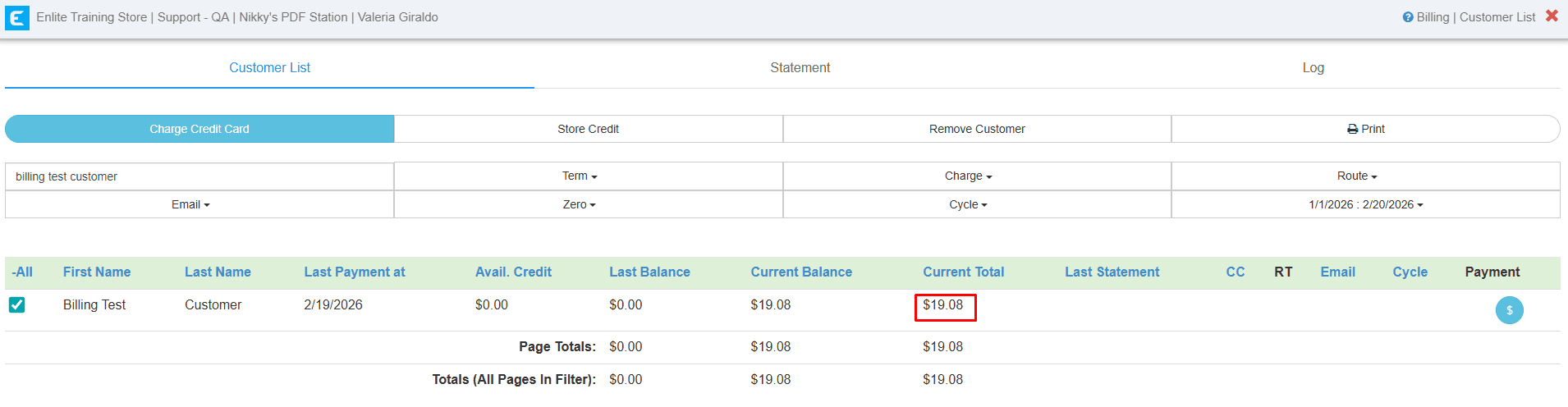
Below is an example of how the total changes depending on the selected payment method in the Billing section. I set up the configuration as follows:
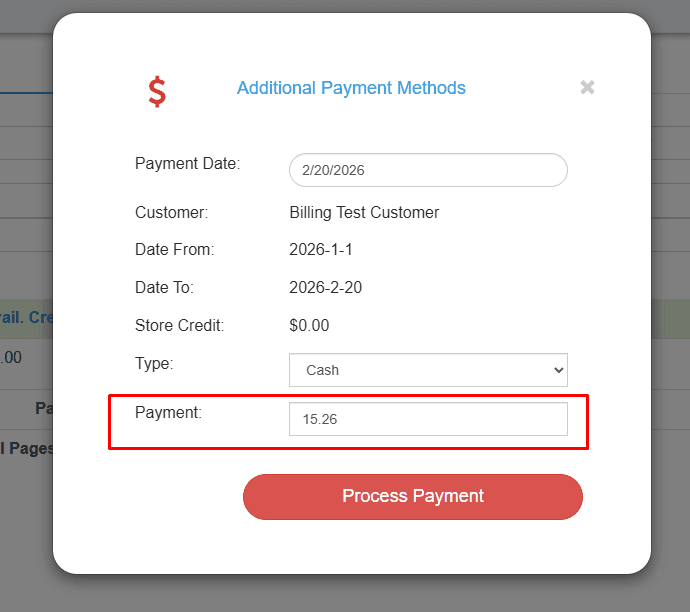
- Cash: Cash 20% DISCOUNT-
- CC Manual: Surcharge 10% - FEE.
This is the current balance without any fee or discount applied.
Payment Method: Cash
When selecting Cash as the payment method:
The total bill is reduced.
An automatic discount is applied.
The updated total reflects the configured discount for Cash payments. This happens because a discount has been set to automatically apply whenever the Cash payment method is selected.
Payment Method: CC Manual
When selecting CC Manual as the payment method:
The original total was $19.08
The total changed to $21.00
A 10% automatic fee was added to the bill
This occurs because a 10% fee is configured for the CC Manual payment method in the Billing section.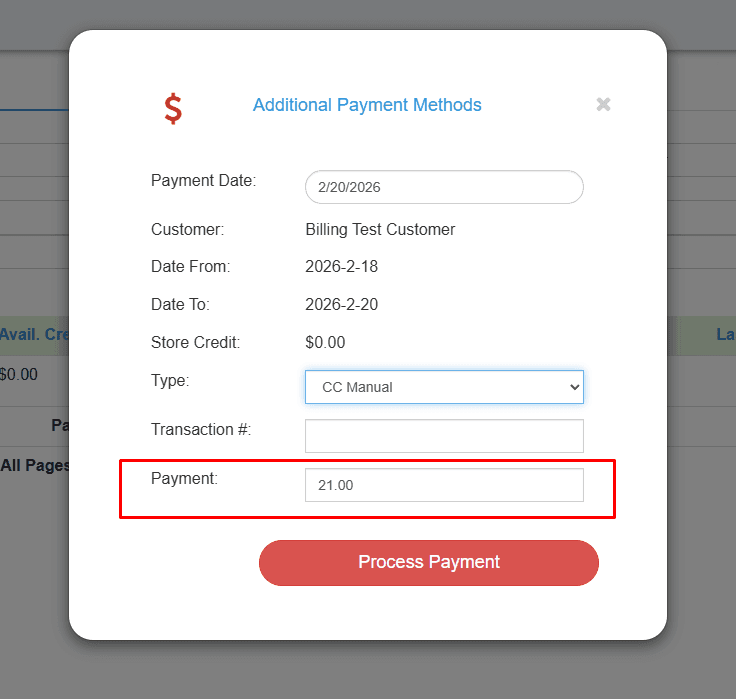
If you would like to enable payment method-based discounts or fees in the Billing section and Pick and pay, please reach out to our Support Team for assistance.
Looking for more? Discover additional articles on our blog
