Enlite Product Updates
ENLITE PRODUCT UPDATES DECEMBER 2025
Dark POS Support Team

Are you interested in what has recently been added to Enlite in order to enhance its capabilities and your experience as a user?
Here you’ll find the latest additions to the system. New features, settings, improvements and reports that will help make your life easier:
2025
December Updates
Report: Closing Daily Report Now Includes Discounts and Fees
2. Report: Monthly Sales by Location and Route (NEW)
3. Report: Outstanding Balance - Customer w/Company (NEW)
4. Report: Discounts and Fees Column Added to “Payments by Invoice and Payment Type” Report
5. Report: Age Group Now Included in “New Customer During Period” Report
6. Report: Payments By Type and Sub-Type
7. General: "NEW" Label for Recently Created Customers (Last 30 Days)
8. General: Save Credit Cards Directly from Pick & Pay
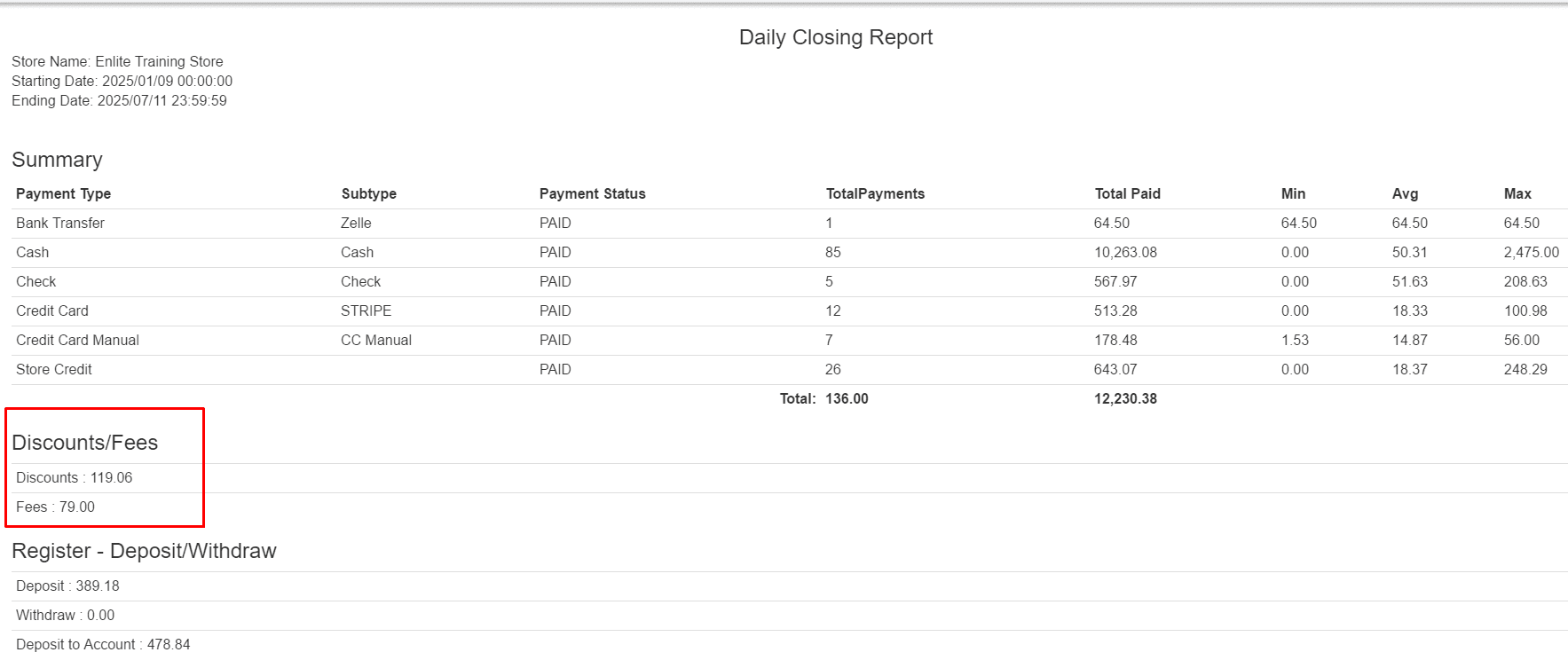
Report: Closing Daily Report Now Includes Discounts and Fees
We’ve enhanced the Closing Daily Report by adding detailed information on discounts and fees. This update provides a more complete view of your daily sales performance, helping you track deductions and additional charges with greater accuracy.
2. Report: Monthly Sales by Location and Route (NEW)
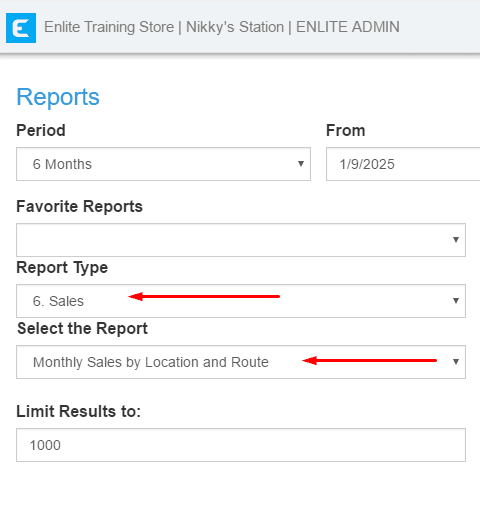
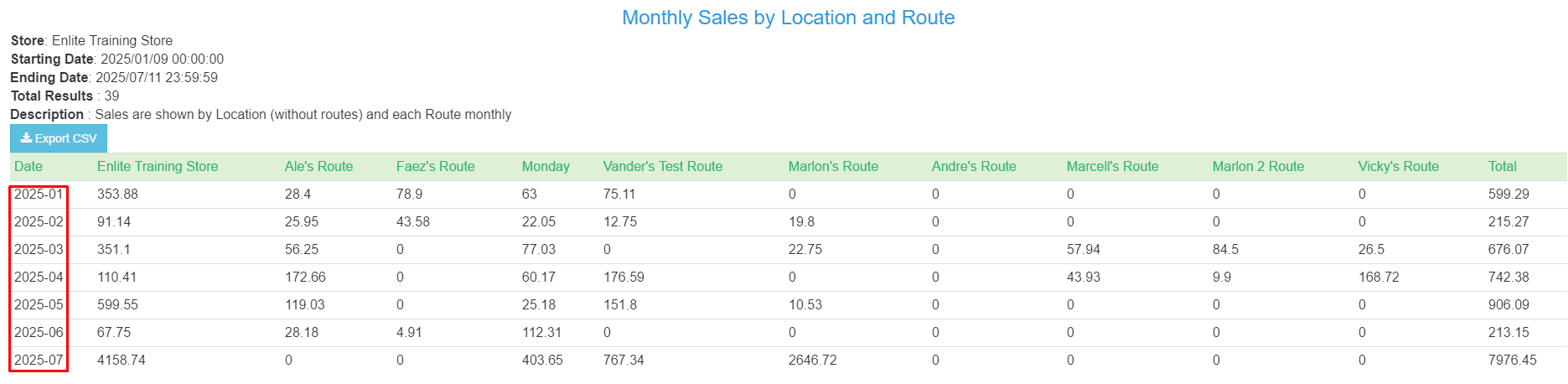
We’ve launched a new report to help you track performance more effectively! The Monthly Sales by Location and Route report is now available. It is a summarized version of the Daily Sales by Location and Route. This new format allows you to quickly view monthly totals, spot trends, and gain a clearer overview of your sales performance across locations and routes.
Report: Outstanding Balance - Customer w/Company (NEW)
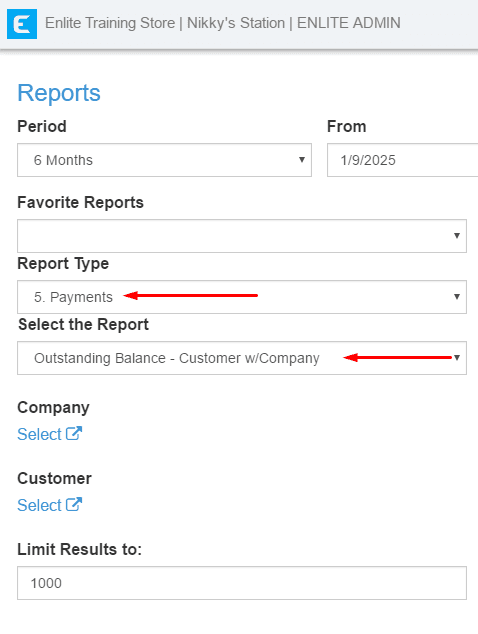
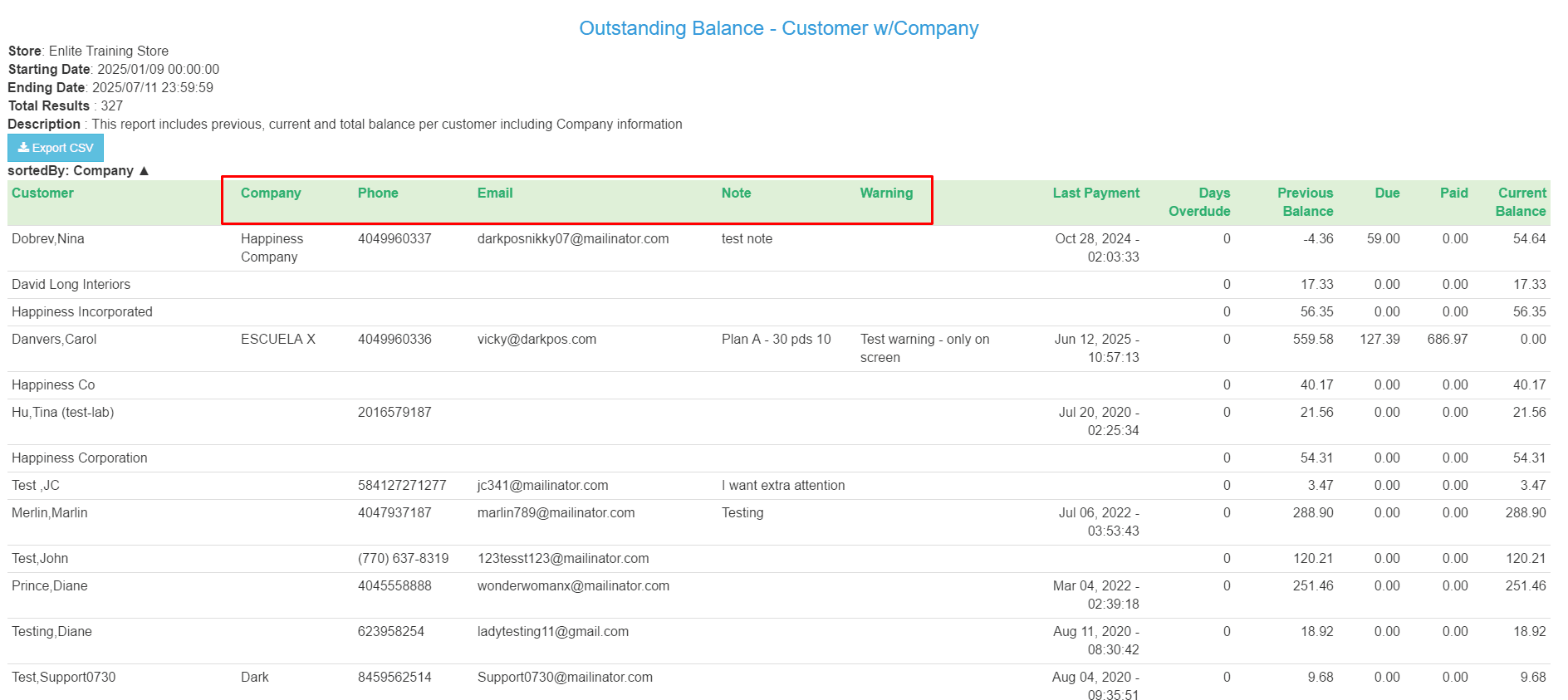
We’ve just released a new report! The “Outstanding Balance - Customer w/ Company” report builds on the existing customer balance report by adding detailed company information. Now, you can view previous, current, and total balances per customer, along with their associated company details, including email, phone number, notes, and any warnings. A new company filter has also been added to make your searches more efficient.
Report: Discounts and Fees Column Added to “Payments by Invoice and Payment Type” Report
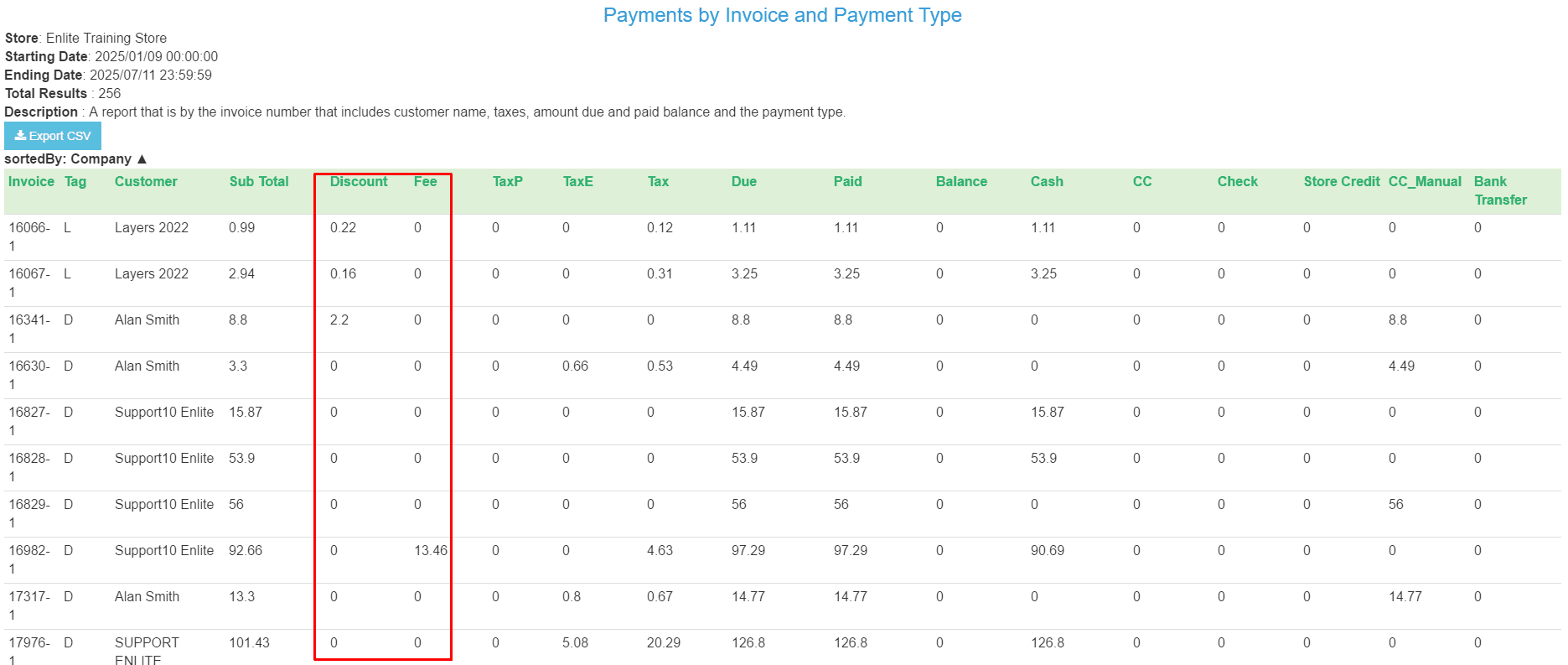
We've enhanced the “Payments by Invoice and Payment Type” report by adding a dedicated column for discounts and fees. This update gives you clearer insights into each transaction, helping you track adjustments more accurately and streamline your financial reporting.
Report: Age Group Now Included in “New Customer During Period” Report
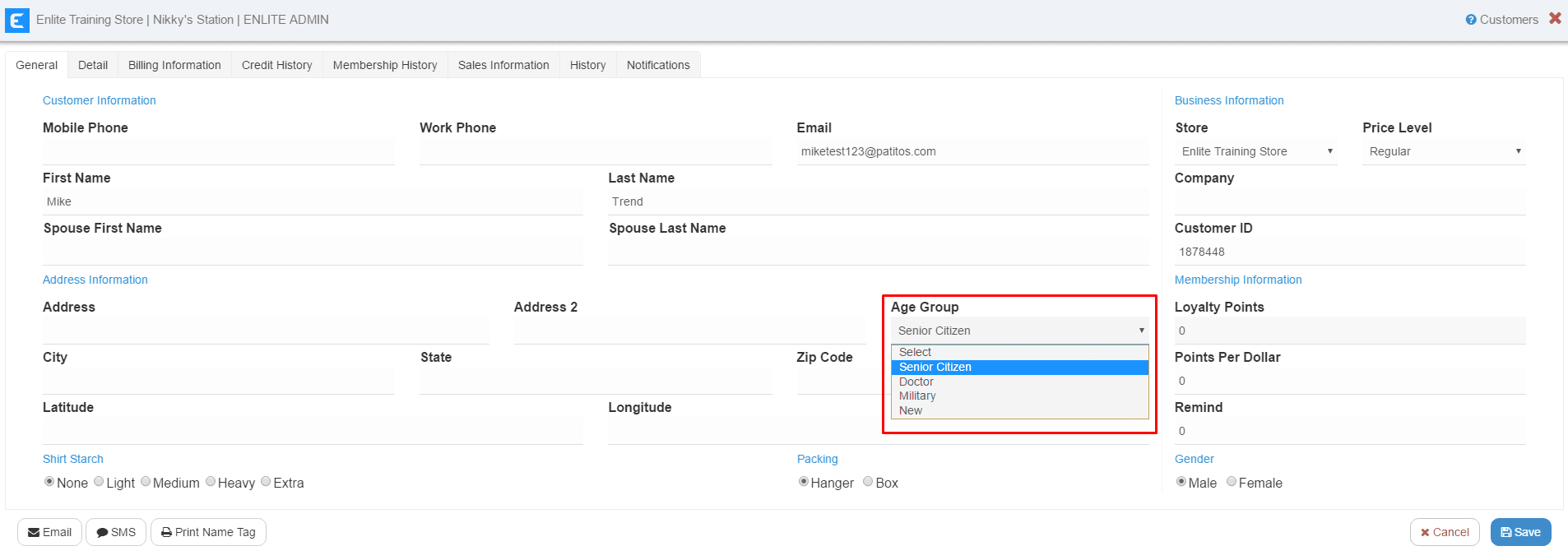
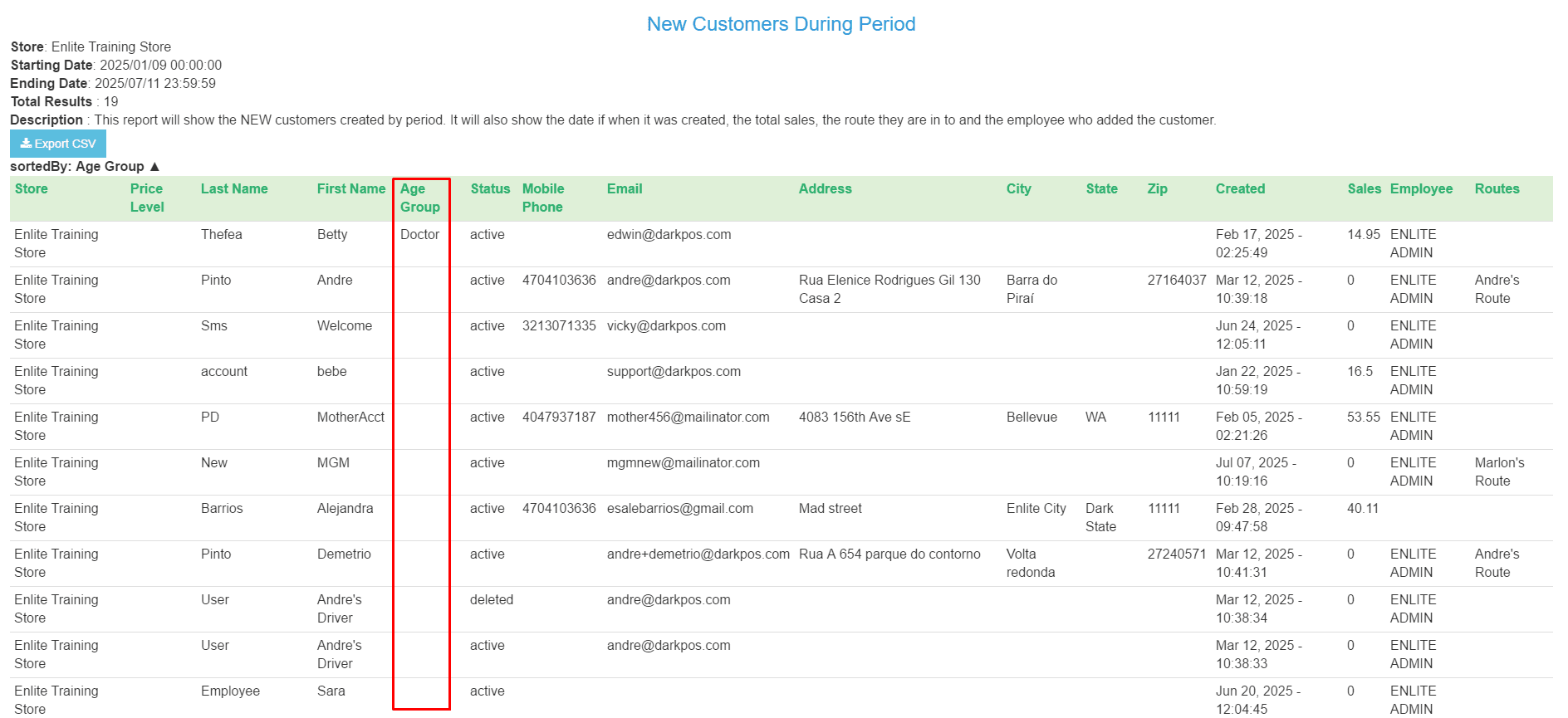
We’ve enhanced the “New Customer During Period” report with a new Age Group column! You can record age groups during customer walk-ins and use this data to analyze customer demographics or track referral sources. The Age Group label is fully customizable, so you can adapt it to suit your business—whether it’s age brackets, marketing channels, or customer types. Gain deeper insights into who your customers are and how they found you!
Report: Payments By Type and Sub-Type
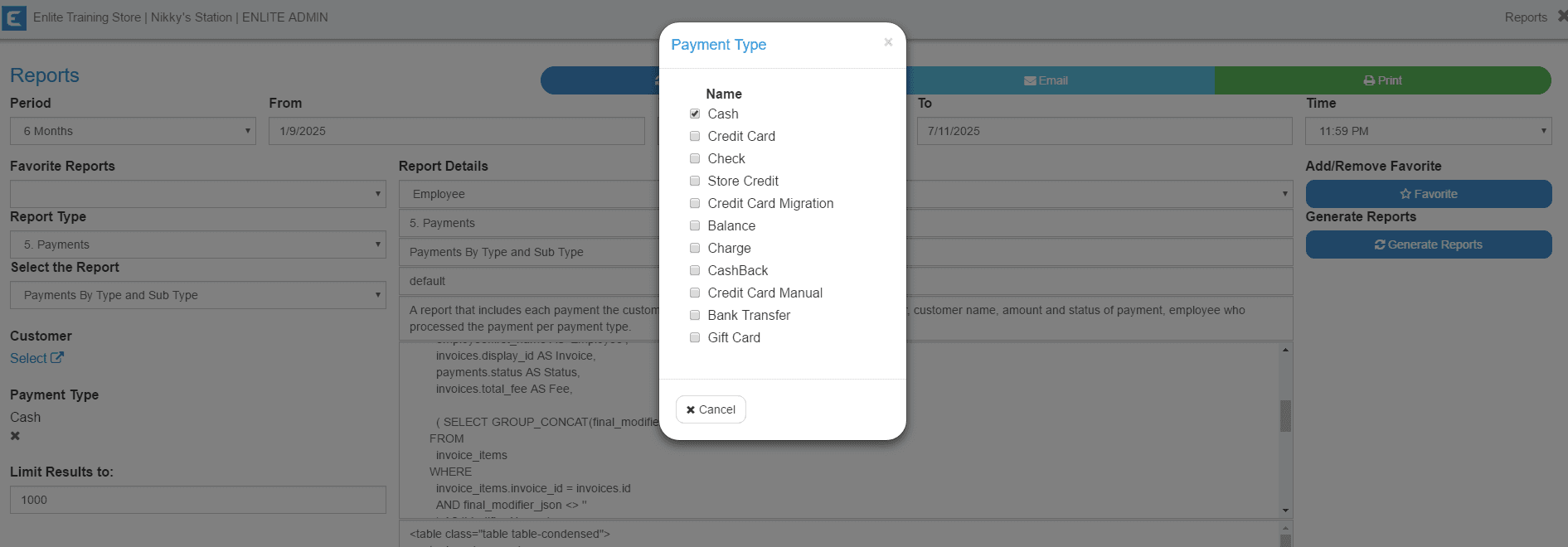
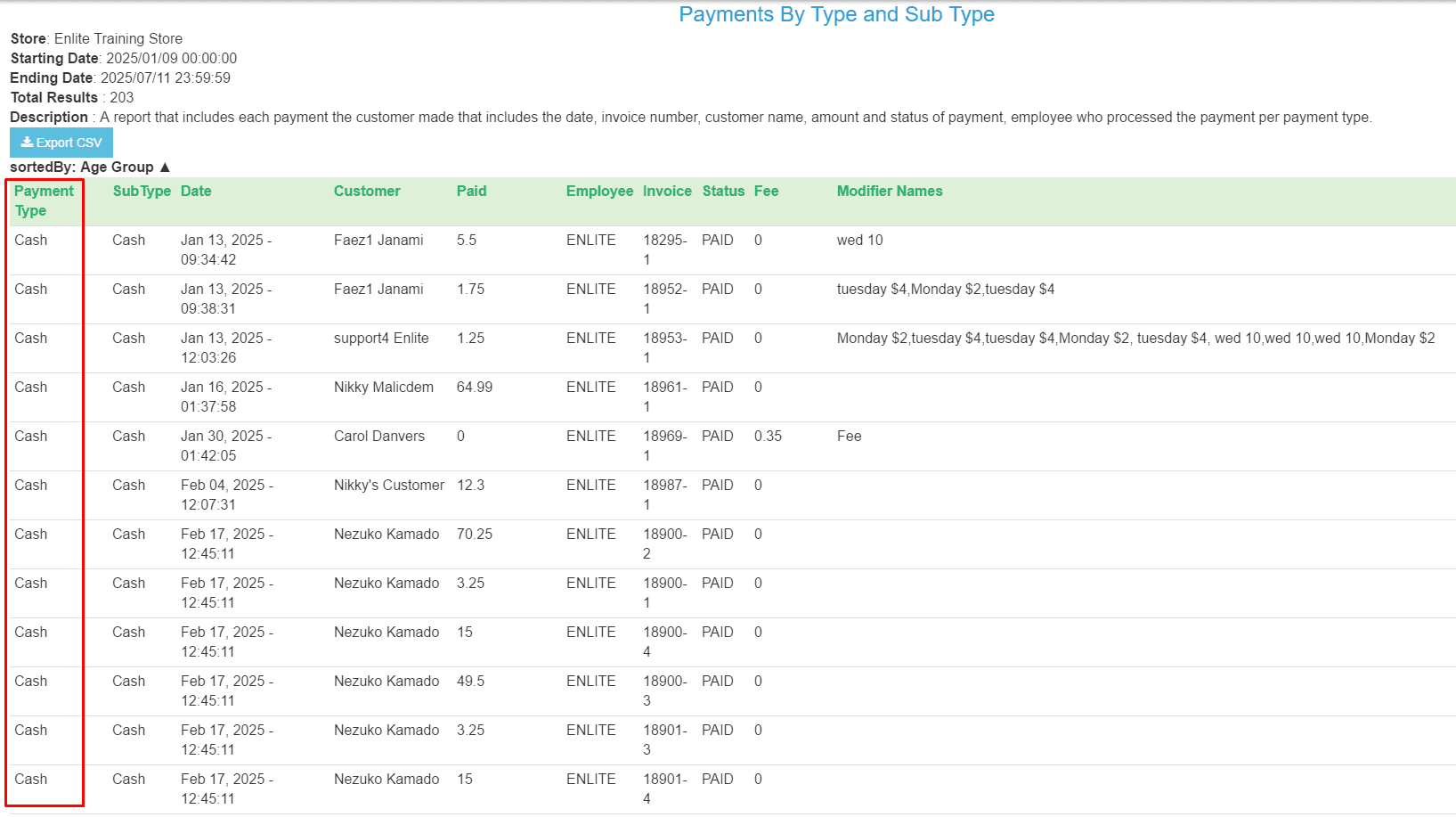
We've enhanced the "Payments by Type and Subtype" report with a new Payment Type filter. This update gives you more control and flexibility when analyzing your payment data, making it easier to track trends and insights specific to each payment method.
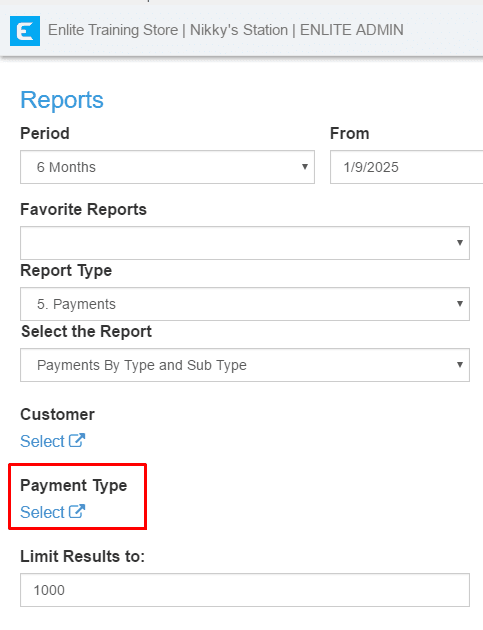
Example: If you want to filter “cash”
General: "NEW" Label for Recently Created Customers (Last 30 Days)
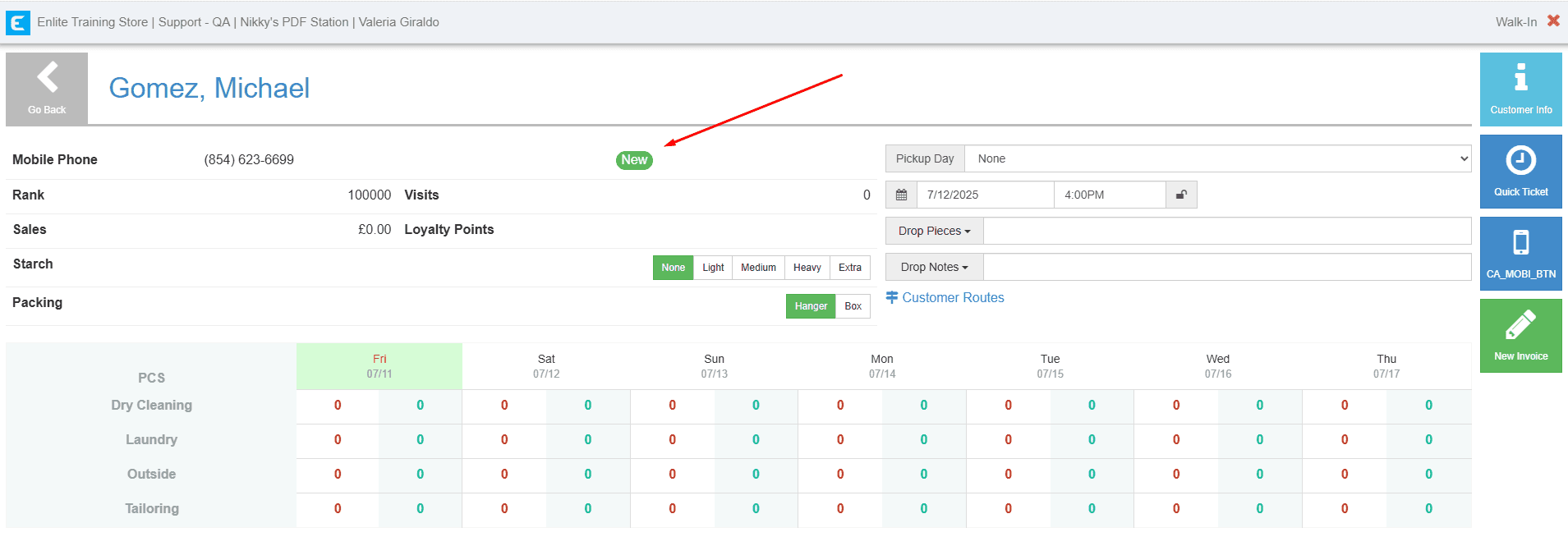
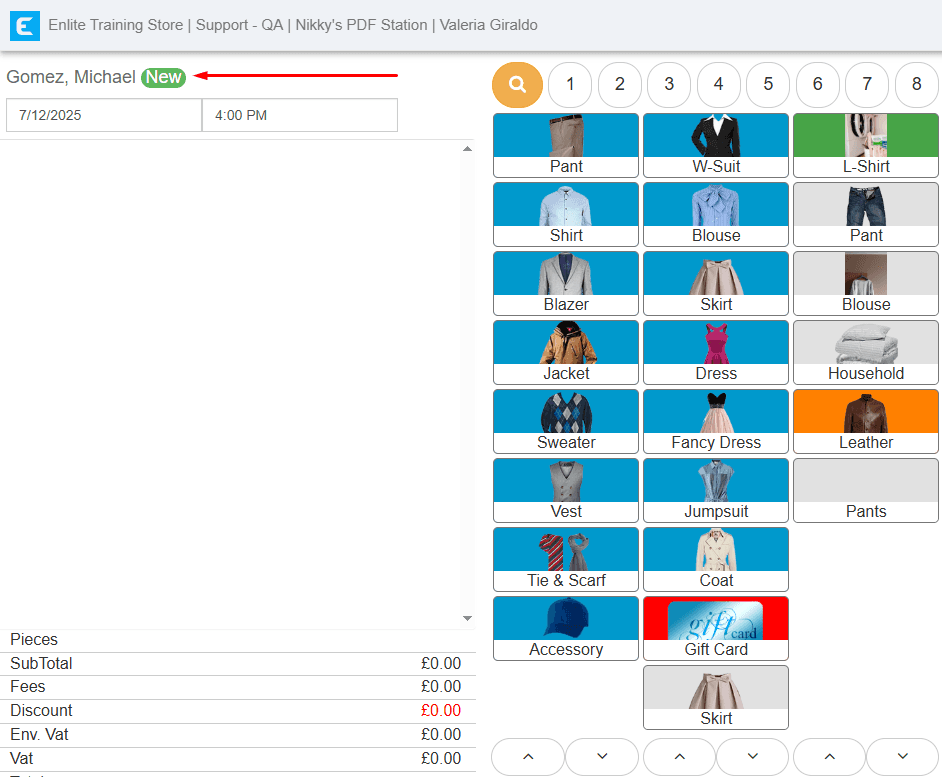
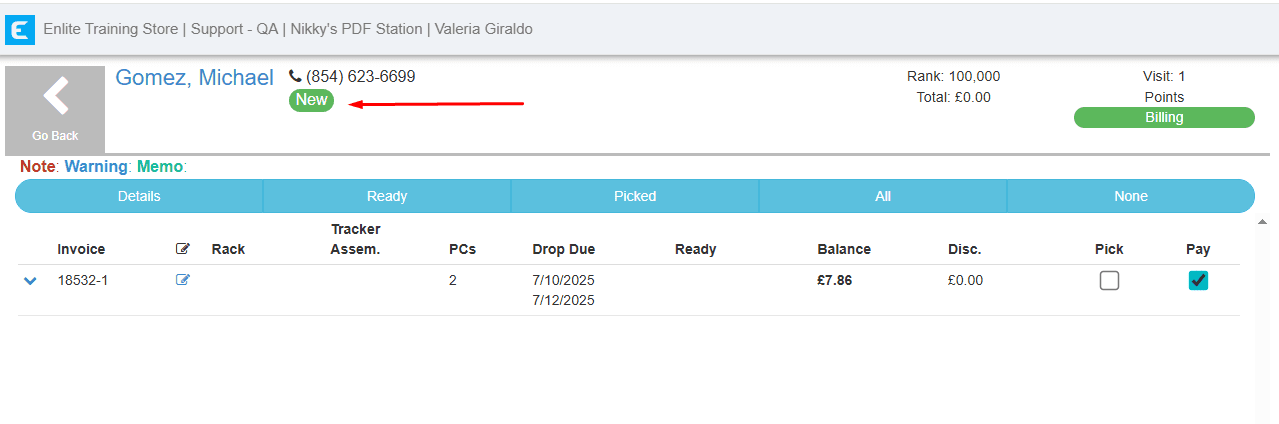
A new feature has been added where customers created within the last 30 days will automatically display a "NEW" label on the Walk-In, PickPay, and Ticket screens. This makes it easier to identify and assist new customers quickly.
Walk- In:
Invoice detail screen:
Pick and Pay:
Save Credit Cards Directly from Pick & Pay
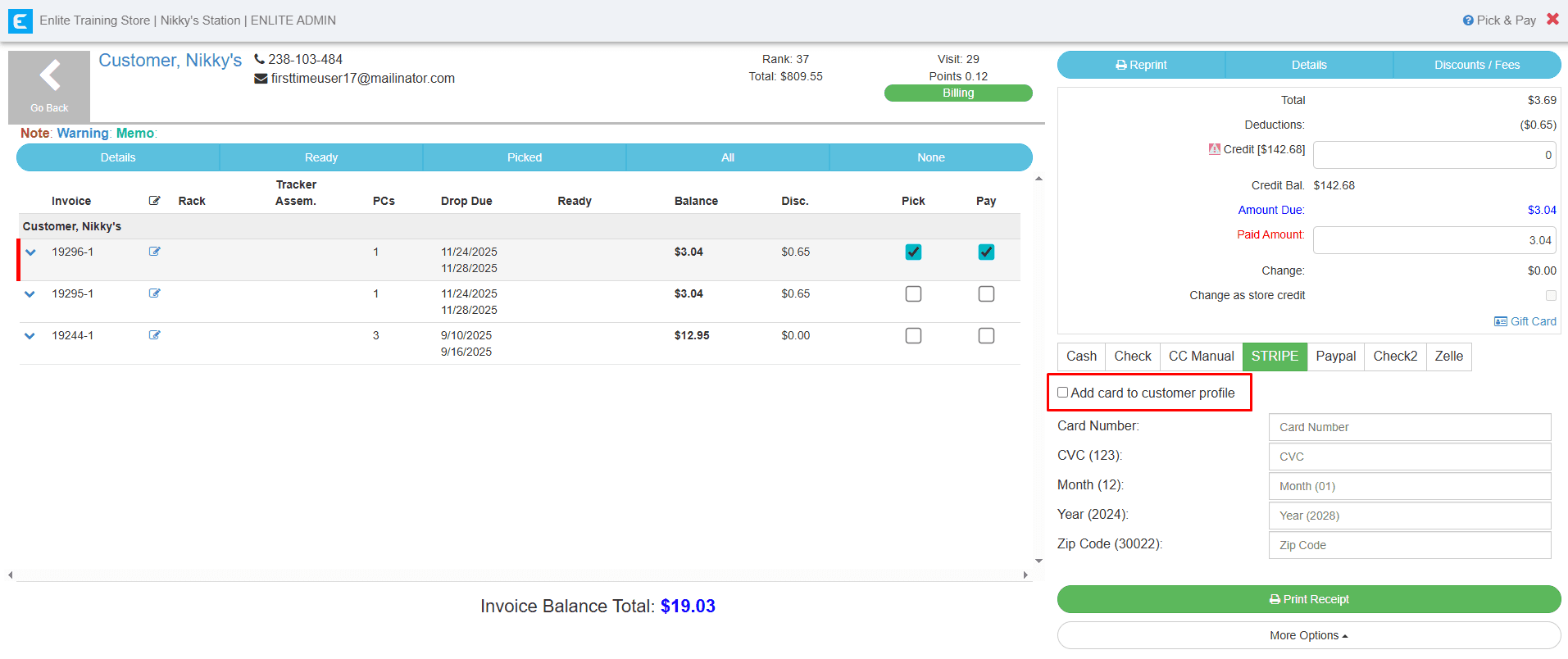
We’ve added a new option to save a customer’s credit card directly from the Pick & Pay section. Just tick the checkbox before processing the payment, and the card used for that transaction will be automatically added to the customer’s profile.
Looking for more? Discover additional articles on our blog
