Enlite Product Updates
ACTUALIZACIONES DEL PRODUCTO ENLITE ENERO 2026
Equipo de Soporte Dark POS

¿Está interesado en lo que se ha añadido recientemente a Enlite para mejorar sus capacidades y su experiencia como usuario?
Aquí encontrará las últimas incorporaciones al sistema. Nuevas funciones, configuraciones, mejoras e informes que ayudarán a que su vida sea más fácil:
2026
Actualizaciones de enero
Configuración de impresión: Mostrar saldo de crédito en tienda en recibos & facturas
Nueva función: Vista de estado del panel de control de múltiples tiendas
Detalles de la factura: Ignorar requisito de código de barras por rol de usuario
Configuración de impresión: Ocultar descuentos/tasas en impresiones de facturas (solo plantillas RAW)
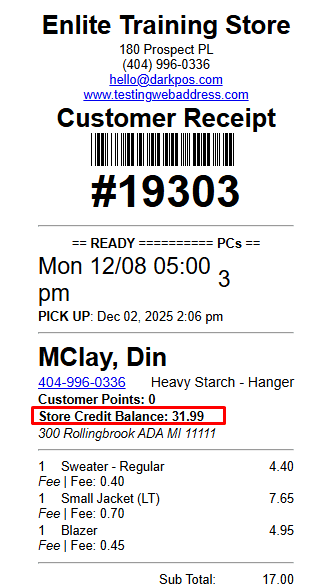
Configuración de impresión: Mostrar saldo de crédito en tienda en recibos & facturas
- Hemos añadido una nueva configuración de impresión que le permite mostrar el saldo de crédito en tienda del cliente directamente en las facturas y recibos de clientes. Esto ayuda a mejorar la transparencia y mantiene a los clientes informados sobre sus créditos disponibles. Si desea que esta función se active para su tienda, no dude en ponerse en contacto con nuestro equipo de soporte.
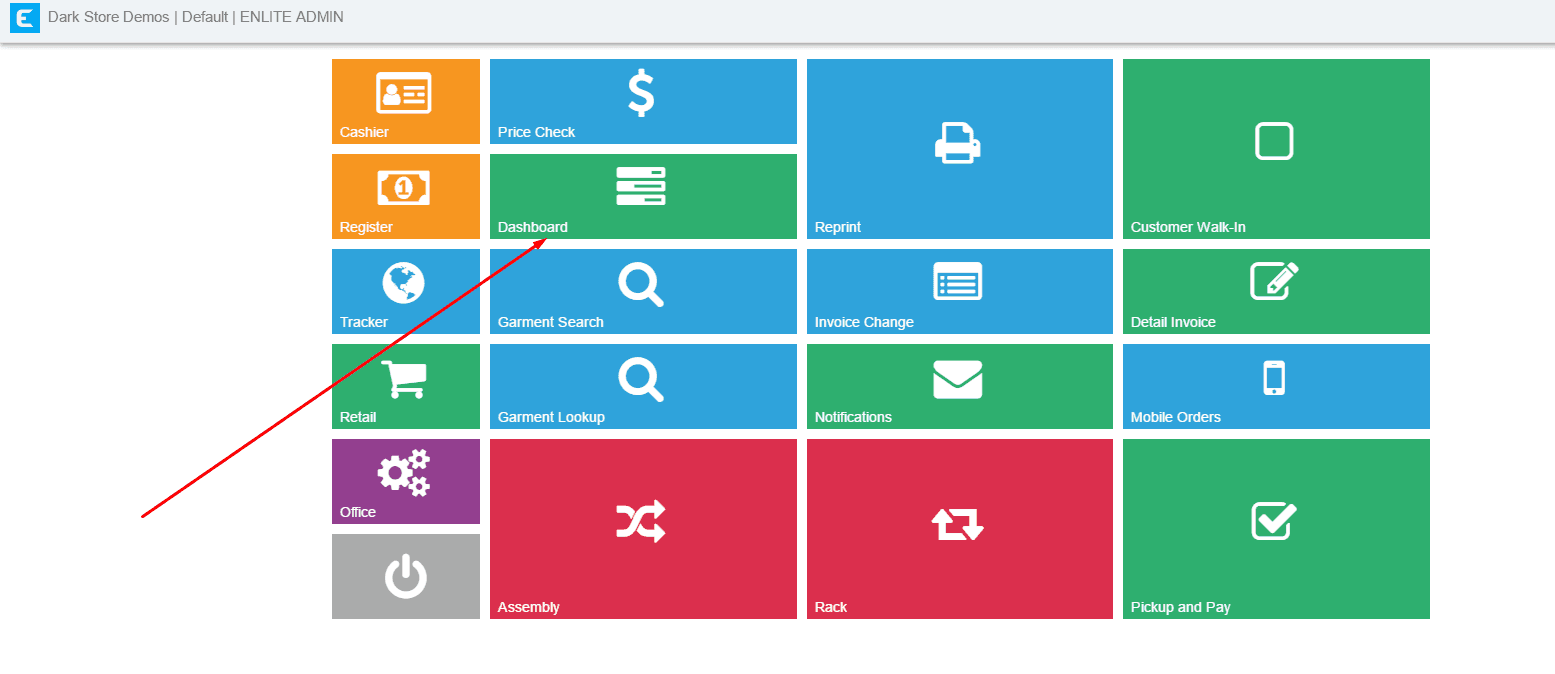
Nueva función: Vista de estado del panel de control de múltiples tiendas
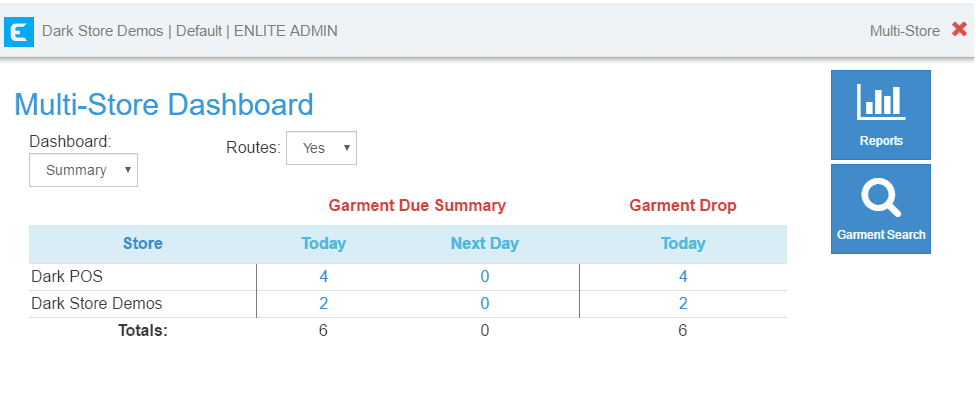
- Administrar múltiples tiendas ahora es más fácil. Con nuestra nueva configuración de múltiples tiendas, ahora puede añadir un botón de panel de control en la oficina principal para acceder rápidamente a un informe de estado. El informe resalta las piezas que deben entregarse hoy y mañana, mostrado en una vista modal. El ejemplo a continuación muestra dos tiendas bajo la misma firma.
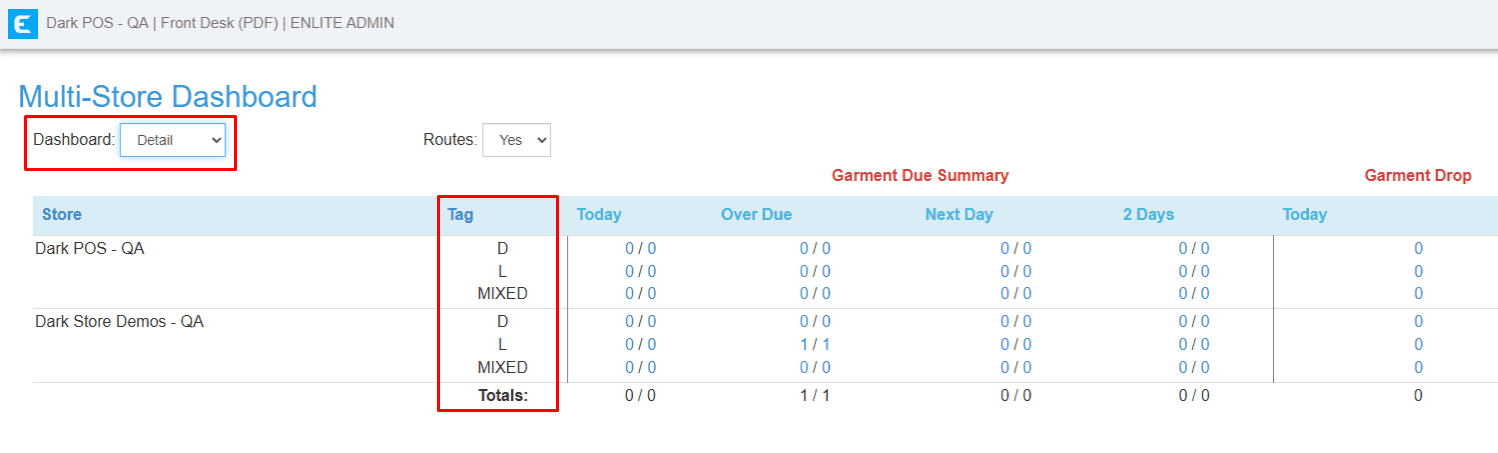
También puede mostrar las etiquetas cambiando el panel de control a “detalle”.
3. Detalles de la factura: Ignorar requisito de código de barras por rol de usuario
– Ahora puede personalizar los requisitos de código de barras en los detalles de la factura por ROL DE USUARIO. Esta nueva función permite a los usuarios designados proceder sin exigir códigos de barras de artículos, ayudando a optimizar las operaciones mientras se mantiene el control sobre los permisos de acceso.
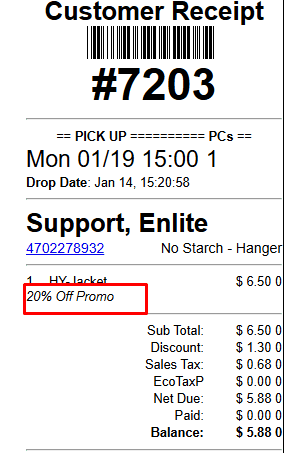
4. Configuración de impresión: Ocultar descuentos/tasas en impresiones de facturas (solo plantillas RAW)
- Ahora hay disponible una nueva configuración de impresión que le permite ocultar descuentos y tasas de las impresiones de facturas. Incluso cuando se ocultan de la copia impresa, los detalles seguirán siendo visibles en la pantalla de detalles de la factura. Esta función se aplica solo a plantillas RAW.
- Comportamiento predeterminado (sin habilitar la configuración): Los descuentos/tasas aparecerán en la impresión.
¿Buscando más? Descubra artículos adicionales en nuestro blog
